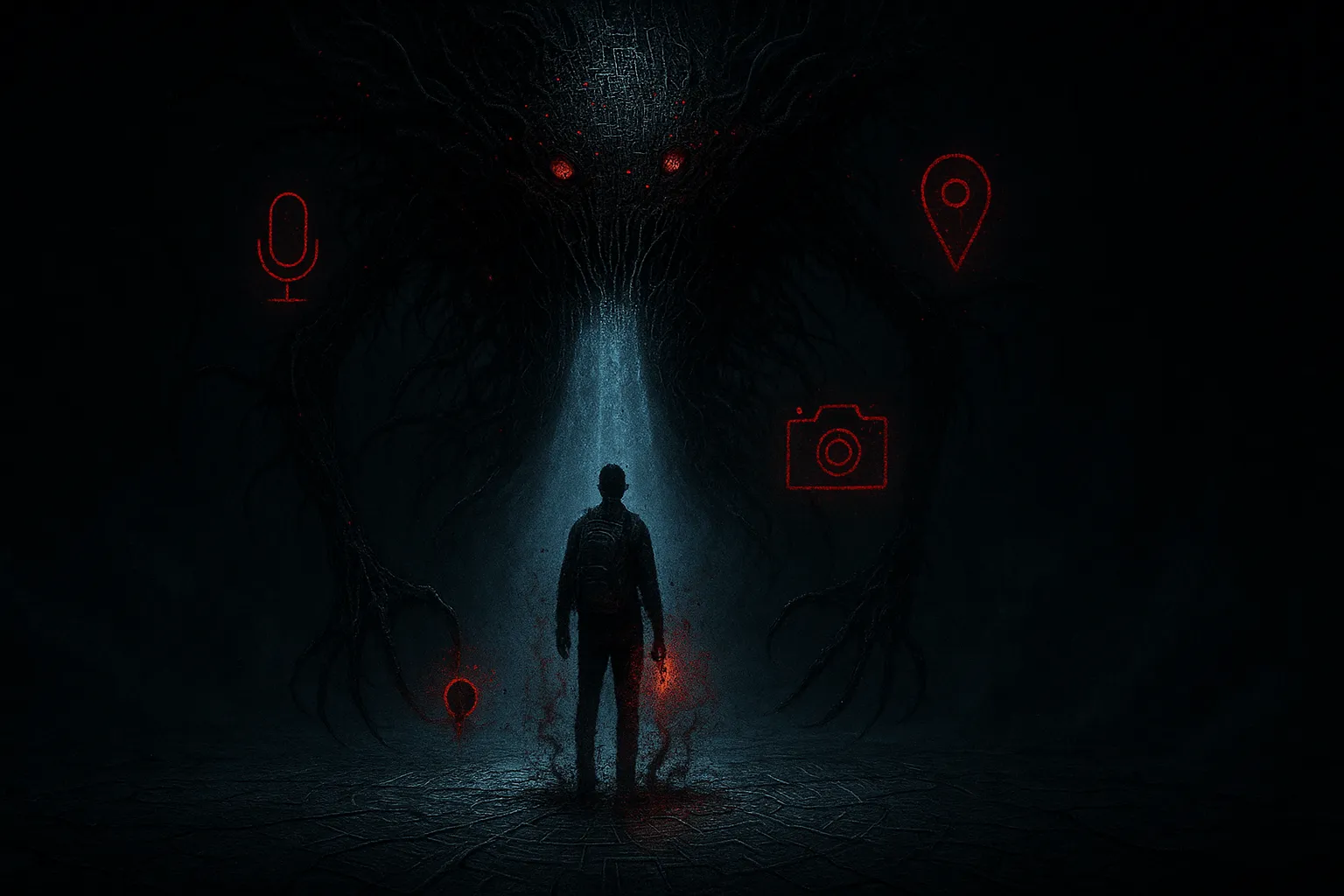
Imagine carrying a tracking device, a hidden microphone, and a live screen recorder with you everywhere you go, like in your pocket, on your bedside table, next to you while you sleep. Now imagine someone else is controlling it.
That’s what stalkerware does.
Stalkerware is a particular kind of spyware and surveillance software used for Cyber stalking, usually by someone you know.
This could be a partner, ex-partner, family member, roommate, or sometimes even an employer. It runs silently on your phone, watching where you go, who you talk to, what you type, what you search for, often in real time.
This guide walks you through:
- What stalkerware actually is (and how it compares to “normal” spyware or monitoring apps)
- How it works technically on Android and iOS
- How to spot the signs your phone might be infected
- How to safely detect and remove stalkerware
- When not to remove anything yourself (for your safety)
- How to harden your devices against stalkerware and Cyber stalking
You do not need to be technical to follow this. You do deserve privacy, safety, and control over your own devices.
What is Stalkerware?
Stalkerware is software installed on a device (usually a smartphone) that secretly monitors a person’s activity and sends that data to someone else without the victim’s informed consent.
Depending on the app, stalkerware can often track real-time and historical GPS location, read text messages, chat apps, email, and log call history.
Not only that, stalkerware sometimes records calls, captures photos and screenshots and even records audio or video, monitors social media and browser history, and logs keystrokes (what you type), including passwords
Stalkerware is typically marketed as:
- “Parental control” apps
- “Employee monitoring” tools
- “Phone tracker” or “anti-theft” utilities
- “Relationship safety” or “catch a cheating partner” solutions
The Coalition Against Stalkerware describes these tools as apps that “enable someone to secretly spy on another person’s private life via their mobile device,” often monitoring location, web searches, messages, photos, calls, and more.
A growing global problem
Many security vendors have reported tens of thousands of unique users affected by stalkerware every year, and those are just the cases they can see.
The true scale is larger, because a lot of victims never realize they’re being monitored or never run security tools that would detect it.
The same research and frontline experience from domestic abuse organizations shows that digital stalking and monitoring are part of a broader pattern of technology-facilitated abuse.
Stalkerware Vs Spyware, Surveillance software, and Monitoring apps
It’s easy to get lost in terminology, so let’s clear that up.
Spyware vs stalkerware
- Spyware is a broad category of malicious software that steals data, often for financial gain: passwords, banking details, login cookies, and so on.
- Stalkerware is usually considered a subtype of spyware:
- It’s targeted (usually at one person)
- It’s part of Cyber stalking and abuse
- It’s often installed by someone the victim personally knows (partner, family member, or acquaintance)
- It’s targeted (usually at one person)
Both are harmful, but stalkerware is deeply personal. It’s about control and surveillance in a relationship, not just money.
Surveillance software and monitoring apps
There are legitimate monitoring apps:
- Parental control tools
- Corporate device management / MDM (Mobile Device Management)
- Anti-theft apps
Used with full, informed consent and clear limits, these tools can be legitimate. But the same apps — or very similar ones — can also be used as stalkerware when:
- They are installed without your consent
- They are hidden or disguised
- The person monitoring you misuses them to control, intimidate, or harass
Many stalkerware apps are marketed under innocent labels like “parental control” or “employee monitoring.”
But they are then abused to secretly track partners or family members, which is in clear violation of privacy and, in many regions, the law.
Bottom line: The technology might look like any other monitoring tool. What turns it into stalkerware is lack of consent and abusive intent.
How Stalkerware Works Under The Hood
You don’t need to be an engineer, but understanding the basics helps you spot red flags and remove stalkerware more safely.
The typical stalkerware setup
Most stalkerware products follow the same basic model:
- Installation on the victim’s device
- Usually requires physical access to the phone for a few minutes.
- On Android, often installed as a sideloaded APK (outside the Play Store).
- On iOS, traditional stalkerware often requires a jailbreak, but more commonly abuses iCloud account access.
- Usually requires physical access to the phone for a few minutes.
- Stealth mode
- The app hides its icon, renames itself as “System Service,” “Device Health,” “Update Service,” etc.
- It may not appear in the usual app launcher or settings screens.
- The app hides its icon, renames itself as “System Service,” “Device Health,” “Update Service,” etc.
- Data harvesting
- Uses permissions like Location, SMS, Phone, Accessibility, Notification access, or Device Admin (Android) or configuration profiles and iCloud (iOS).
- Intercepts incoming notifications, messages, GPS updates, microphone/camera access, and more.
- Uses permissions like Location, SMS, Phone, Accessibility, Notification access, or Device Admin (Android) or configuration profiles and iCloud (iOS).
- Exfiltration
- Sends collected data to a remote dashboard or via email/web panel.
- The abuser can log in from any browser and watch in near real time.
- Sends collected data to a remote dashboard or via email/web panel.
Why Android is more exposed
Android allows installation of apps from outside the official Google Play Store and offers more powerful APIs for background access. That flexibility can be abused by stalkerware that:
- Misuses Accessibility Services to read content from other apps
- Misuses Notification access to read all incoming notifications
- Registers as a Device admin or device owner, making it harder to remove
- Runs as a persistent background service to send data 24/7
How stalkerware works on iOS
iOS is more locked down, but stalkerware is still possible:
- Jailbreak-based apps
- The device is jailbroken (removing Apple’s protections).
- Stalkerware is installed from unauthorized repositories.
- You may see apps like Cydia, Sileo, or similar, which are common jailbreak package managers.
- The device is jailbroken (removing Apple’s protections).
- iCloud abuse (no app needed)
- Someone who knows your Apple ID and password can sign in on another device.
- They can then access iCloud-synced data: messages (where enabled), photos, contacts, notes, and location via Find My.
- This kind of surveillance leaves no icon or app on your phone — it’s account-based.
- Someone who knows your Apple ID and password can sign in on another device.
- Configuration profiles & device management
- Malicious device management profiles can be installed to route traffic, install hidden certificates, or push settings that expose your data.
- Abusers sometimes misuse remote management tools originally meant for enterprise IT.
- Malicious device management profiles can be installed to route traffic, install hidden certificates, or push settings that expose your data.
Apple has responded by introducing features like Safety Check and a detailed Personal Safety guide, specifically to help people escape technology-facilitated abuse and stalking.
Is Stalkerware Legal?
Short answer: installing stalkerware on someone else’s device without their informed consent is illegal in most jurisdictions.
The legal landscape is complicated because:
- Many stalkerware tools are sold as parental control or employee monitoring tools.
- The apps themselves sometimes operate in a “gray zone,” but what’s illegal is the usage without consent.
However, secret surveillance of an adult’s personal device usually violates:
- Privacy and wiretapping laws
- Computer misuse / unauthorized access laws
- Domestic abuse or harassment statutes when used as part of coercive control
Rights organizations and researchers have repeatedly called for stronger regulation and accountability for stalkerware vendors and abusers.
If you discover stalkerware, it can become evidence of a crime. That’s one reason you should think carefully before deleting it. More on that later.
Who Uses Stalkerware And Why?
Stalkerware is almost never about random hackers. It’s nearly always about intimate threats, meaning, people who are already close to you.
Common scenarios include:
- Abusive partners or ex-partners
- Tracking where you go, who you meet, what you say
- Trying to stop you from leaving, seeking help, or starting a new life
- Tracking where you go, who you meet, what you say
- Controlling family members
- Parents spying on adult children
- Relatives monitoring finances, relationships, or medical issues
- Parents spying on adult children
- Roommates or acquaintances
- Installing stalkerware after briefly borrowing your phone
- Installing stalkerware after briefly borrowing your phone
- Employers
- Misusing monitoring tools on personal devices instead of company-owned hardware
- Misusing monitoring tools on personal devices instead of company-owned hardware
Studies and reports from domestic violence shelters show that tech-based tracking and eavesdropping are very common in abuse cases. Tech abuse is widely recognized as a component of coercive control.
Digital surveillance is itself a form of abuse. It often escalates to more overt control, harassment, and physical violence.
How To Tell If Your Phone Has Stalkerware
There is no single, guaranteed sign. Some stalkerware is very stealthy. But if you’re worried, look for a pattern of clues.
Technical red flags
- Strange battery drain
- Your battery suddenly starts dying much faster than usual, even when you’re not using the phone.
- The phone feels warm while idle.
- Your battery suddenly starts dying much faster than usual, even when you’re not using the phone.
- Unexplained data usage
- Your mobile data usage jumps for no obvious reason.
- Data is being sent in the background at odd times (e.g., late at night while you’re not using the phone).
- Your mobile data usage jumps for no obvious reason.
- Weird behavior and glitches
- The device turns on or off by itself.
- Apps crash more than usual, or the phone freezes.
- You notice random pop-ups or system dialogs you didn’t trigger.
- The device turns on or off by itself.
- Unknown apps or “system services”
- You see unfamiliar apps in Settings → Apps/Applications, especially ones with generic names like:
- “System Service,” “Device Health,” “Update Service,” “Phone Manager,” etc.
- “System Service,” “Device Health,” “Update Service,” “Phone Manager,” etc.
- On iOS, you may see configuration profiles you don’t recognize.
- You see unfamiliar apps in Settings → Apps/Applications, especially ones with generic names like:
- Enabled “Unknown sources” or sideloading (Android)
- Under security settings, “Install unknown apps” is enabled for apps that shouldn’t have it.
- This can indicate someone enabled sideloading to install stalkerware.
- Under security settings, “Install unknown apps” is enabled for apps that shouldn’t have it.
Behavioral red flags
Often, the clearest warning signs show up in someone’s behavior.
They seem to know where you are even when you haven’t shared it. They bring up private messages or calls they shouldn’t have access to. They get angry or panicked if you don’t reply quickly, or if your phone goes offline. They pressure you to share your passcode or demand you “prove trust” by handing it over.
Sometimes they even “gift” you a phone or tablet and insist you use that device instead of your own.
If you have a persistent feeling that you’re being watched, don’t brush it aside. Survivors and advocates often say that intuition is worth taking seriously.
First Priority: Your Safety, Not Just Your Phone
Before you start scanning, uninstalling, or factory resetting anything, pause and consider:
Could removing this app or changing my behavior put me at risk?
In abusive situations, removing stalkerware can:
- Alert the abuser (many apps notify when the software is disabled or disappears).
- Cause them to escalate with more control, more monitoring, or physical violence.
- Erase evidence that could help you if you go to the police, court, or a support organization.
If you suspect your partner or family member is dangerous:
- Use a safer device for research and help
- Use a friend’s phone, a work device, a library computer, or a device you know they can’t access.
- Assume your own phone might be monitored until proven otherwise.
- Use a friend’s phone, a work device, a library computer, or a device you know they can’t access.
- Reach out to support services first
- Domestic violence hotlines, NGOs, or local support organizations.
- Many coalitions and nonprofits now specialize in technology-facilitated abuse and understand stalkerware.
- Domestic violence hotlines, NGOs, or local support organizations.
- Document what you see
- Take photos or notes (from a safe device if possible) of suspicious apps, settings, or behavior.
- This can be used later as evidence.
- Take photos or notes (from a safe device if possible) of suspicious apps, settings, or behavior.
If you are not in a high-risk situation (e.g., it’s a nosy friend or questionable employer, not a violent abuser), you still want to be careful, but the immediate safety risk is usually lower.
The sections below assume you feel reasonably safe taking action yourself. If you don’t, stop and get expert help before you proceed.
How To Check For Stalkerware On Android
Once you’ve thought about your safety and decided it’s okay to investigate your phone directly, the next step is to look for concrete technical signs on the device itself.
Android is the platform where stalkerware is most commonly installed, but it also gives you powerful tools to inspect apps, permissions, and security settings if you know where to look.
In this section, you’ll use built-in features like Google Play Protect, app lists, special permissions, and account checks to spot suspicious activity without having to root your phone or do anything advanced.
Work through these steps slowly and methodically; even if you don’t find definitive proof, they can still help you tighten your security and rule out some of the most common stealthy monitoring apps.
Step 1: Check Google Play Protect
- Open the Google Play Store app.
- Tap your profile icon (top right).
- Tap Play Protect.
- Make sure it’s turned on and tap Scan.
Play Protect can catch some malicious apps, though it won’t detect all stalkerware.
Step 2: Manually review installed apps
- Open Settings → Apps or Apps & notifications.
- Tap See all apps / Manage apps.
- Slowly scroll through every app. Look for:
- Names you don’t recognize
- Generic names like “System Service,” “Update Service,” “Device Health,” “Phone Manager,” etc.
- Apps with very high permissions (tap into them → Permissions to see what they can access).
- Names you don’t recognize
If in doubt, search the app name online from another device. Legitimate apps will have clear documentation and a reputation.
Step 3: Check special permissions
Stalkerware often abuses powerful permissions.
On most modern Android devices, review:
- Accessibility services – anything enabled that you don’t recognize is suspicious.
- Notification access – see which apps can read all your notifications.
- Device admin apps / Device admin – look for unknown or unnecessary entries.
- Install unknown apps – check which apps can install from outside the Play Store.
Disable access for anything that looks suspicious (if it’s safe to do so).
Step 4: Check for device management or “Find My” abuse
- In Settings → Security → Find My Device / Find My Phone:
- Make sure only your account or trusted services are enabled.
- Make sure only your account or trusted services are enabled.
- Check if your Google account is logged in on devices you don’t recognize by reviewing the devices list in your Google Account security settings.
If something looks wrong, don’t log devices out yet. If you’re in danger, talk to a support organization first. Logging an abuser’s device out can tip them off.
Step 5: Run a reputable mobile security / anti-spyware app
Install a well-known mobile security app from the official Play Store (for example, from established vendors) and run a full scan. Many of these tools now specifically look for stalkerware and “monitoring apps.”
These tools may classify some apps as PUA/monitoring rather than outright malware, since they can have dual-use purposes. Treat any such detection very seriously.
How To Check For Stalkerware On iPhone
Traditional stalkerware is less common on iOS because of Apple’s restrictions, but account-based spying is very real. Check both the device and your Apple ID.
Step 1: Look for unfamiliar apps and jailbreak signs
- On your home screens and in Settings → General → iPhone Storage, scan for apps you don’t recognize.
- Look specifically for jailbreak-related apps like Cydia, Sileo, Zebra, or anything that looks like a “tweaks” or “package manager” app.
If your iPhone is jailbroken, it’s much more vulnerable to stalkerware and other malware.
Step 2: Check configuration profiles and device management
- Go to Settings → General → VPN & Device Management.
- Look for any configuration profiles or management entries you don’t recognize.
- If you see a suspicious profile (especially if you’re not on a corporate-managed device), note the details and consider removing it when it’s safe.
Profiles can be used to route your traffic, install root certificates, and silently control aspects of the device.
Step 3: Check iCloud and sharing
Because iOS is harder to infect directly, abusers often abuse your Apple ID instead:
- Go to Settings → [your name] → Password & Security:
- Turn on two-factor authentication if it isn’t already.
- Review trusted phone numbers and trusted devices.
- Turn on two-factor authentication if it isn’t already.
- Go to Settings → [your name] → Find My:
- See which devices are linked and how your location is being shared.
- See which devices are linked and how your location is being shared.
- Check Family Sharing and location sharing in Messages and Find My to ensure you’re not sharing with someone you don’t trust.
If you suspect your iCloud has been compromised, consider:
- Changing your Apple ID password (from a safe device).
- Signing out of iCloud on devices you don’t recognize.
- Enabling Advanced Data Protection to encrypt more of your iCloud data end-to-end.
Apple’s Safety Check (iOS 16+) can also help you quickly reset sharing and access in emergencies.
How To Safely Remove Stalkerware (Android & iOS)
If you’ve decided it’s safe to proceed and you’ve identified suspicious apps or settings, here’s how to remove them as carefully as possible.
Before you remove anything
- Back up your important data (photos, contacts, documents).
- On Android, use Google backup or manually copy files to a safe location.
- On iOS, use an encrypted iCloud or computer backup.
- On Android, use Google backup or manually copy files to a safe location.
- If you may involve law enforcement later, document everything:
- App names, screenshots, configuration profiles, suspicious settings, logs.
- App names, screenshots, configuration profiles, suspicious settings, logs.
- Consider talking to a legal adviser or support organization first, especially if the stalker is dangerous.
Step A – Remove stalkerware from Android
- Disable special permissions
- Go to Settings → Apps and open the suspicious app.
- Tap Permissions and revoke everything you can (Location, SMS, Phone, etc.).
- Go to Settings → Accessibility, Notification access, and Device admin apps and disable the app there as well.
- Go to Settings → Apps and open the suspicious app.
- Uninstall the app
- In Settings → Apps → [suspicious app], tap Uninstall.
- If the Uninstall button is greyed out, it may still have device admin rights — remove those first.
- In Settings → Apps → [suspicious app], tap Uninstall.
- Restart your phone
- Reboot to stop any lingering processes.
- Reboot to stop any lingering processes.
- Run a full mobile security scan
- Use your chosen security app to perform a comprehensive scan.
- Remove or quarantine anything else that’s flagged as spyware, stalkerware, or monitoring software.
- Use your chosen security app to perform a comprehensive scan.
- Update Android and apps
- Go to Settings → System → System update and install any available updates.
- Open Google Play Store → Manage apps & device and update all apps.
- Go to Settings → System → System update and install any available updates.
- Change passwords and security settings
Do this only after you believe the device is clean, or from a separate, safe device:- Change passwords for:
- Email
- Cloud storage (Google, Dropbox, etc.)
- Social media
- Banking and payment services
- Email
- Turn on two-factor authentication everywhere possible, preferably using an authenticator app rather than SMS.
- Change passwords for:
- Factory reset (if necessary)
If the stalkerware reappears, you’re still seeing strange behavior, or you want to be absolutely sure:- Back up only the files you trust (photos, documents), not full system images.
- Go to Settings → System → Reset → Erase all data (factory reset).
- After reset, reinstall apps manually from trusted sources only.
- Back up only the files you trust (photos, documents), not full system images.
- A factory reset will wipe apps and settings, including most stalkerware. Just be careful not to restore a full backup that includes the malicious app.
Step B – Remove stalkerware / restore security on iOS
Because iOS stalkerware is often tied to jailbreaks or iCloud abuse, the cleanest fix is usually to fully reset the device and lock down your Apple ID.
- Back up your iPhone safely
- Use iCloud Backup or an encrypted backup on your computer (Finder / iTunes).
- Avoid restoring from very old backups that might include jailbreak-related changes.
- Use iCloud Backup or an encrypted backup on your computer (Finder / iTunes).
- Erase your iPhone
- Go to Settings → General → Transfer or Reset iPhone → Erase All Content and Settings.
- Follow the prompts to wipe the device.
- Go to Settings → General → Transfer or Reset iPhone → Erase All Content and Settings.
- Set up as new or carefully restore
- Ideally, set up the iPhone as New and manually reinstall apps you trust.
- If you restore from backup, monitor the device closely for suspicious behavior afterward.
- Ideally, set up the iPhone as New and manually reinstall apps you trust.
- Lock down your Apple ID
- Change your Apple ID password from a safe device.
- Turn on two-factor authentication.
- Review and remove any devices you don’t recognize from Settings → [your name] → Devices.
- Use Safety Check to reset sharing and access if needed.
- Change your Apple ID password from a safe device.
- Review important app permissions
- In Settings → Privacy & Security, review app access to:
- Location Services
- Contacts, Photos, Camera, Microphone
- Calendars, Files, etc.
- Location Services
- Remove permissions that don’t make sense.
- In Settings → Privacy & Security, review app access to:
When You Shouldn’t Remove Stalkerware Yourself
Sometimes the safest move is not to touch the stalkerware yet.
You may want to hold off on removing anything if the suspected abuser is violent or has threatened violence, if you rely on the device to contact help and losing it would isolate you, or if you plan to pursue legal action and the stalkerware is important evidence.
In high-risk situations, it’s often safer to:
- Use a different device for private communication.
- Work with a domestic violence advocate, legal professional, or trusted tech expert.
- Involve law enforcement where appropriate.
Some organizations and researchers use special tools that can detect stalkerware through network analysis instead of local scans, reducing the chances of alerting the abuser.
How To Protect Yourself From Stalkerware And Cyber Stalking
You can’t control other people’s actions, but you can make it much harder for someone to compromise your devices.
1. Lock your devices properly
- Use a strong screen lock:
- PIN (not 1234 or birth dates), passphrase, fingerprint, or facial recognition.
- PIN (not 1234 or birth dates), passphrase, fingerprint, or facial recognition.
- Do not share your passcode with partners, friends, or family members — even if they “just want to check something.”
- Turn off lock-screen previews of sensitive notifications (messages, codes, etc.).
2. Practice strong password hygiene
- Use unique passwords for each account.
- Use a reputable password manager to generate and store them.
- Change passwords if:
- You leave a relationship or shared living situation.
- Someone had access to your devices or accounts.
- You leave a relationship or shared living situation.
3. Turn on two-factor authentication (2FA) everywhere
- Enable 2FA for email, cloud accounts, banking, and social media.
- Prefer authenticator apps over SMS codes where possible.
4. Keep your OS and apps up to date
- Install system updates promptly on Android and iOS; they often fix security flaws that can be abused to bypass protections.
- Regularly update apps from the official app store only.
5. Control app permissions
On both Android and iOS, regularly review which apps can access your location, camera, microphone, SMS and call logs on Android, and your files and photos, and if an app doesn’t truly need a particular permission, deny it.
6. Avoid rooting or jailbreaking
Rooting (Android) and jailbreaking (iOS) remove built-in security protections. That can be fun for tweaking, but it massively increases your risk from stalkerware, spyware, and other malware.
If your phone is rooted or jailbroken and you didn’t do it yourself, treat that as a major red flag.
7. Be wary of “free gifts” and borrowed devices
- Think twice about using a phone or tablet someone else pre-configured for you, especially if the relationship is controlling.
- When possible, buy devices from reputable sources and set them up yourself from scratch.
8. Use reputable security tools
On Android, consider installing a trusted mobile security app that can detect spyware, stalkerware, and other threats, and on both Android and iOS.
You might also use a VPN when browsing on public or shared Wi-Fi to protect your traffic from network snooping.
While a VPN won’t directly remove stalkerware, it can reduce exposure if someone is trying to spy from the same network.
Ethical Monitoring Vs Abuse
Sometimes parents, caregivers, or employers genuinely want to keep people safe or protect company data.
But there is a hard line between responsible monitoring and abusive stalkerware.
Ask these questions:
- Is there clear, informed consent?
- Adults know the app is installed, what it does, and can say no.
- Adults know the app is installed, what it does, and can say no.
- Is monitoring necessary and proportionate?
- Limiting app installs for a child is different from reading every message they send.
- Limiting app installs for a child is different from reading every message they send.
- Is there transparency?
- No hidden icons, no stealth mode, no disguises.
- No hidden icons, no stealth mode, no disguises.
- Can the person leave or opt out?
- An employee should be able to use a personal device privately; a partner should never be monitored without explicit mutual agreement.
- An employee should be able to use a personal device privately; a partner should never be monitored without explicit mutual agreement.
If the answer is “no” to these points, the software is leaning into stalkerware territory, no matter how it’s advertised.
Conclusion
Stalkerware turns the devices we rely on every day into tools of surveillance and control, but it does not have to stay that way.
By understanding what stalkerware is, how it operates on Android and iOS, and which warning signs to watch for, you can begin to take back control of your privacy.
Practical steps such as reviewing permissions, locking down accounts, using reputable security tools, and, when necessary, fully resetting devices give you a clear path toward a safer digital life.
Just as important, recognizing that your physical and emotional safety comes first helps you make smarter choices about when and how to act.
Whether you are supporting someone else or protecting yourself, knowledge, preparation, and the right support network can transform stalkerware from a hidden threat into a manageable, beatable risk.

- Bit Scriber T1000https://stealthkits.net/author/sp/
- Bit Scriber T1000https://stealthkits.net/author/sp/
- Bit Scriber T1000https://stealthkits.net/author/sp/
- Bit Scriber T1000https://stealthkits.net/author/sp/